 Max Glenister
Factory resetting a Nokia N900 from Mac OS X Mountain Lion
I had a Nokia N900 when they first came out, this was unfortunately shortly before Android had matured to a usable state, and so I didn’t use my Nokia N900 for long.
It was an interesting device though, running Maemo, a derivative of Debian linux, it was pretty much a portable Linux computer with a full slide-out QWERTY keyboard.
The N900 promised to be a lot better than it was, and the following video made it look like a really nice device:
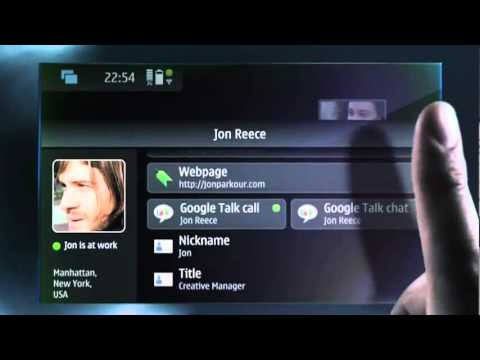
My N900 was relegated to a drawer for the best part of the past 2.5 years while I’ve had a HTC Desire and Samsung Galaxy S2 since then.
Recently I decided to get it out and play with it. I wanted to wipe it so I would have a clean slate to play with as I can’t remember what I had done to it last time it was booted.
As it turns out, the Nokia file servers for the utility to flash it, and the flashable EMMC images doesn’t seem to work, so I headed over to #maemo on irc.freenode.net to see if anybody had some insight.
I managed to grab a copy of the flasher-3.5 software for Mac OS maemo_flasher-3.5_2.5.2.2_i386.dmg from here:
However, since OS X Lion this installer hasn’t worked completely.
To make it work you need to install the .pkg from the .dmg and then execute the following commands:
sudo cp -Rv /private/tmp/pc-connectivity/10.6/* /usr/lib/
sudo cp -v /private/tmp/pc-connectivity-bin/10.6/flasher-3.5 /usr/bin/
You will have to Google for the RX-51_2009SE_10.2010.13-2.VANILLA_PR_EMMC_MR0_ARM.bin file to flash your EMMC image as the official mirrors no-longer exist.
Now you can use flasher-3.5 from the terminal to flash an EMMC image:
- Boot the N900 in to USB mode by holding the
ukey while it turns on - Execute the following:
sudo flasher-3.5 -F <EMMC.bin> -f -R
It will take a moment to flash the EMMC image, but it will let you know what it’s doing meanwhile. After it’s complete your N900 should be reset back to the factory default.
Now, I’m not sure what I can do with the device to be honest, so this was an exercise in futility. The fact that it’s debian-based and uses aptitude means that it’s slow as hell to update software, even when doing it through the terminal. If you try and do any batch upgrading, or a apt-get dist-upgrade you will find yourself with a crippled system as it can’t complete the distribution upgrade.
I’ve read around about U-Boot and installing some kind of other Linux on it, but for now I think it’ll just go back in my drawer.