How I'm using CSS View Transitions on this blog
In the old days of the web, animating between pages meant faking it with jQuery. Then came pjax, which used pushState to swap in fetched content and fake a full navigation without one, still relying on popState to stop the back button breaking. Every single-page app since has done some version of the same trick, intercept the link click, fetch the new content, swap it in, animate the swap yourself. It works, but it means every navigation runs through a JS router, even on a static blog that didn’t need one otherwise.
Cross-document view transitions do the same job without any of that, and there’s no JavaScript API involved at all. It’s a single @view-transition rule in the CSS. No router, no fetch, no client-side history hijacking, the browser still does a real navigation to a real URL, it just captures the outgoing page as it leaves and lets CSS animate that against the incoming one.
There’s also a JavaScript View Transition API (document.startViewTransition()), for same-document transitions inside an SPA. That’s a different tool for a different job, this blog has no client-side routing to hook it into, so everything below is the CSS-only version.
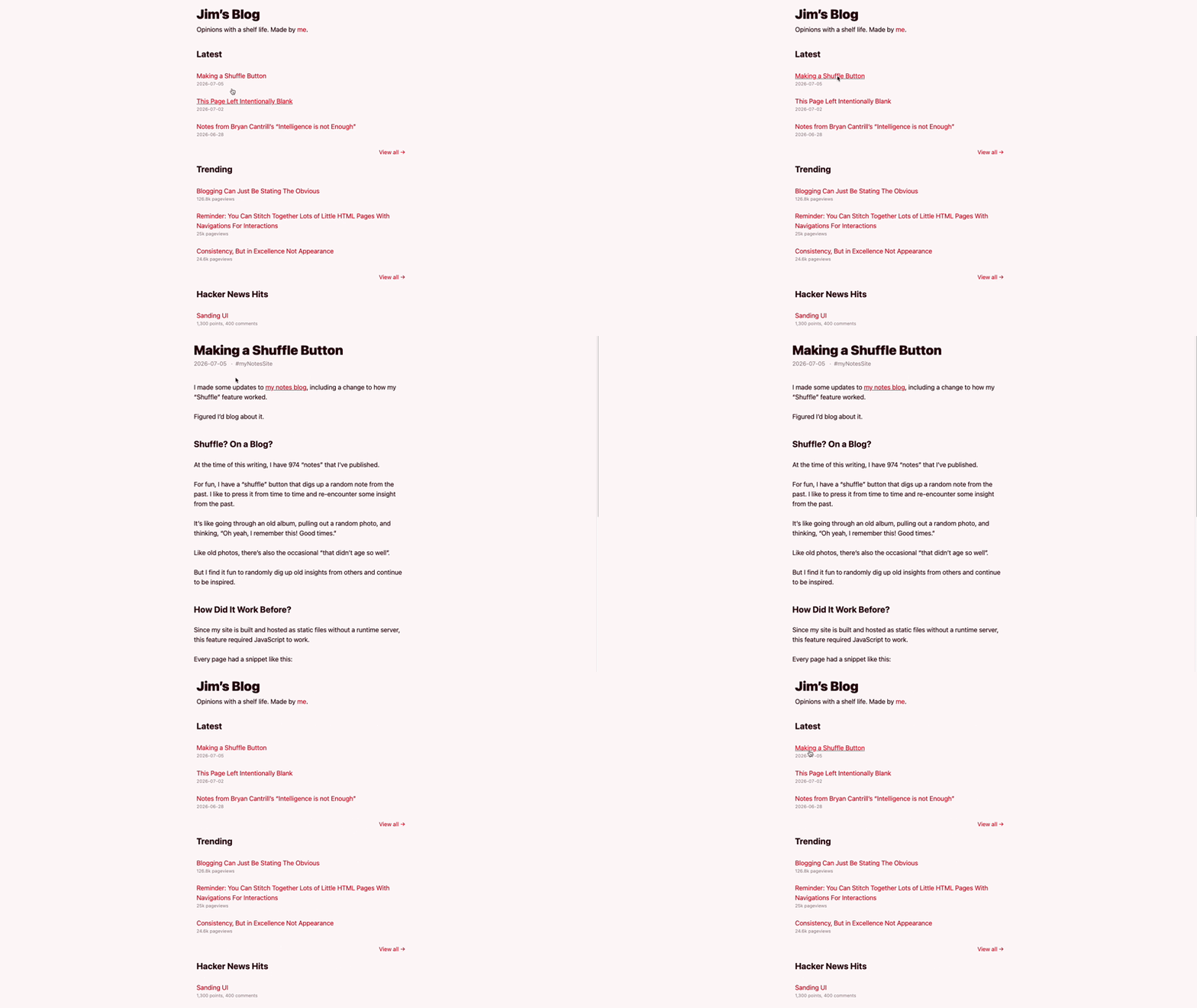
What got me looking into this properly was Jim Nielsen’s blog, where clicking a post title morphs it straight from the list into the <h1> on the post page. It’s a nice bit of polish that costs nothing at runtime, so I went digging into how it worked.
Turning it on is one declaration
The whole thing switches on with navigation: auto inside a @view-transition block, wrapped in a prefers-reduced-motion check so it stays off for anyone who’s asked for less motion:
@media (prefers-reduced-motion: no-preference) {
  @view-transition {
    navigation: auto;
  }
}
Every same-origin navigation now crossfades instead of hard-cutting. Chrome, Edge, and Safari have all supported it since mid-2024, Firefox just ignores the block and navigates as normal, so there’s nothing to feature-detect.
That default crossfade applies to the whole page as one lump, which is fine but not very interesting, and it’s not what I wanted underneath the column slide below. So I stripped it out on root:
::view-transition-old(root),
::view-transition-new(root) {
  animation: none;
  mix-blend-mode: normal;
}
Naming individual elements with view-transition-name is what lets specific parts of the page animate on their own instead.
Making the whole layout transition
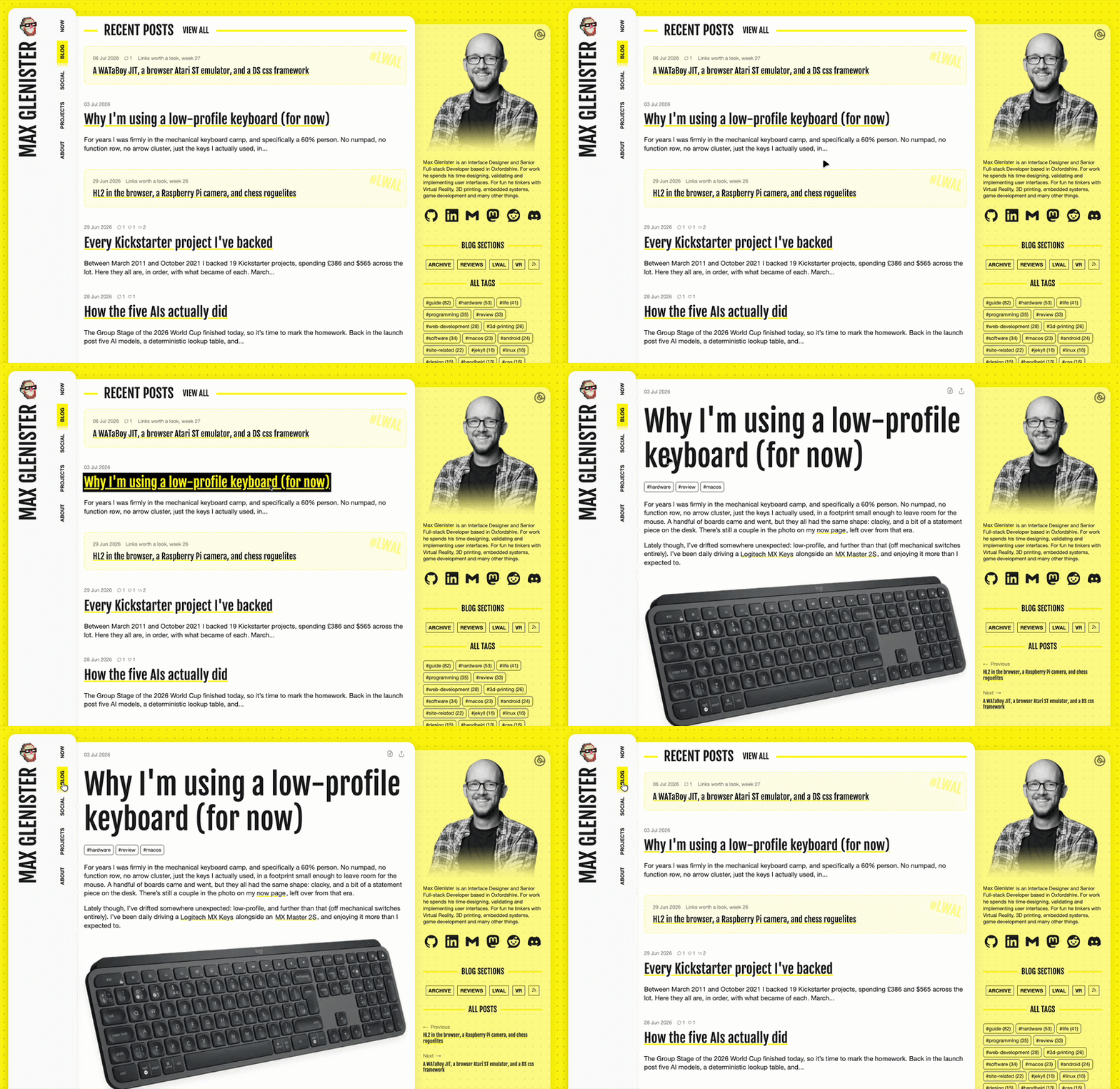
My layout uses a grid with three regions (sidebar-left, page-content, sidebar-right), so I named the columns themselves rather than anything inside them, then gave the middle one a slide animation, out to the left on the way out, in from the left on the way in:
.sidebar-left {
  view-transition-name: first-column;
}
.page-content {
  view-transition-name: middle-column;
}

@keyframes slide-left-out {
  from { transform: translateX(0) scaleX(1); opacity: 1; }
  to   { transform: translateX(-50vw) scaleX(0); overflow-x: hidden; opacity: 0; }
}

@keyframes slide-left-in {
  from { transform: translateX(-50vw) scaleX(0); overflow-x: hidden; opacity: 0; }
  to   { transform: translateX(0) scaleX(1); opacity: 1; }
}

@media (min-width: 768px) {
  ::view-transition-old(middle-column) {
    animation: slide-left-out 0.1s forwards;
  }
  ::view-transition-new(middle-column) {
    animation: slide-left-in 0.2s forwards;
    mix-blend-mode: normal;
  }
}
Out is quicker than in (0.1s vs 0.2s), which reads as the old page getting out of the way rather than a symmetrical swap. mix-blend-mode: normal matters too, the browser’s default blend mode washes out solid content mid-slide, normal fixes that. And the two columns need explicit z-index in their ::view-transition-group, or the sliding middle overlaps the sidebar instead of passing underneath it:
::view-transition-group(first-column) {
  z-index: 2;
}
::view-transition-group(middle-column) {
  z-index: 1;
}
Sidebar widgets fade independently
The sidebar itself doesn’t slide, but individual widgets in it (the tags list, webmentions, related posts) change contents between pages, so each gets its own transition name via a custom property:
.vt {
  view-transition-name: var(--vtn);
  animation-duration: 0.4s;
  animation-timing-function: linear;
}

.sidebar-webmentions   { --vtn: sidebar-webmentions; }
.sidebar-tags          { --vtn: sidebar-tags; }
.sidebar-related-posts { --vtn: sidebar-related-posts; }
Then it’s just class="sidebar-tags vt" in the include. Each one crossfades to its new content on its own timeline rather than the whole sidebar block reflowing at once, so as content shifts height (a post with three tags vs one with none) it doesn’t tug at the rest of the page.
The flash of misaligned content
There’s a gotcha with all of this. The browser captures each named element’s size and position before and after the navigation, and if that box isn’t stable, the animation starts from the wrong place for a frame, a visible flash before it corrects itself.

Two culprits. The author photo in the bio block already had max-width and aspect-ratio set, but no hard width, so aspect-ratio had nothing to calculate a height from and the box collapsed before the image loaded:
.author-photo {
  max-width: 100%;
  width: 25rem;
  aspect-ratio: 1;
}
Adding width: 25rem sorted it, even though max-width: 100% overrides it in most layouts. aspect-ratio needs a definite width to derive a height from, and the width declaration supplies one, max-width just caps it afterwards.
The middle column had a similar issue for a different reason. Its grid track was just 5fr, a pure ratio with no floor:
--main-template-columns: 1fr 5fr 2fr;
A pure fr track shrinks or grows relative to the other two, so anything that changed the sidebars, even slightly, nudged its width along with it. Two pages with different sidebar content ended up with middle columns a few pixels apart, and the transition captures those exact widths, so the slide would start from one and animate to another, a visible jump rather than a clean slide. Giving it a floor sorted that too:
--main-template-columns: 1fr minmax(50%, 5fr) 2fr;
minmax(50%, 5fr) keeps the same flexible ratio above that floor, but stops it settling on a slightly different width whenever the sidebars change.
One other trap worth knowing about even though I haven’t hit it: cross-document transitions have a silent four-second timeout. If the new page hasn’t rendered by then, the transition just fails silently, no error and no console warning. Nothing to fix here, just something to keep in mind if a transition mysteriously stops working on a slower connection.
None of this required a fallback. Browsers that don’t support @view-transition just skip the block and navigate as normal (no crossfade, no slide, just a plain page change). Nothing breaks, nothing needs an @supports check.
Reduced motion is the same story from the other direction. The entire thing sits behind prefers-reduced-motion: no-preference, so anyone who’s told their OS they don’t want motion gets the plain navigation too. I didn’t have to write a “reduced” version of the slide, there just isn’t one.
What I like about @view-transition is that it’s additive, sitting on top of navigation that already worked rather than a router replacing what browsers do natively. Get the CSS wrong or skip it entirely and the worst case is a boring page change, which is what everyone had anyway.
Further reading
- Toe-Dipping Into View Transitions - a gentle intro that animates post titles between pages, and runs into the naming clashes that come with it.
- Cross-Document View Transitions, Part 1 - the correct
@view-transitionsyntax and a good rundown of the timeout and image-squashing traps. - Cross-Document View Transitions, Part 2 - naming things at scale with
view-transition-class, and assigning names just-in-time via thepageswap/pagerevealevents instead of baking them into every page. - Some Practical Examples of View Transitions to Elevate Your UI - real UI patterns, Star Wars-style wipes, directional step flows, auto-naming table rows as you sort or filter them.
- A Practical Guide to the CSS View Transition API - more on aspect ratio gotchas, plus a useful callout that
clip-pathgets ignored on the transition pseudo-elements.
Interactions
Discussion
martrapp commented on via github.com
Excellent article, Max! I really enjoyed reading it. It is packed with practical tips and real world lessons that will no doubt save other people a lot of time when they run into the same issues.
One small addition: if one doesn’t need the root cross-fade, another neat alternative to setting animations to none is to disable the root view transition group altogether with :root { view-transition-name: none; }.
– Martin from https://vtbag.dev